Perland Engine · Panel

Minecraft hosting that speaks Minecraft.

Perland runs your servers and proxy networks from one console: icons and MOTDs the way players see them, a live console, players and bans, and crash reports in plain words. Built for communities and for the hosts who serve them.

Early access · for server owners, hosts and developers

Perland Panel · Servers Demo data

As your players see it.

Every server and network carries its own entry in the multiplayer list: icon, MOTD and the message it shows while it sleeps. You edit all of it in the Panel.

  • skyblock Skyblock » Season 3 Islands reset every Sunday
    12/40
  • survival-net Survival Net | 1.21 Lobby · Survival · Creative
    31/100
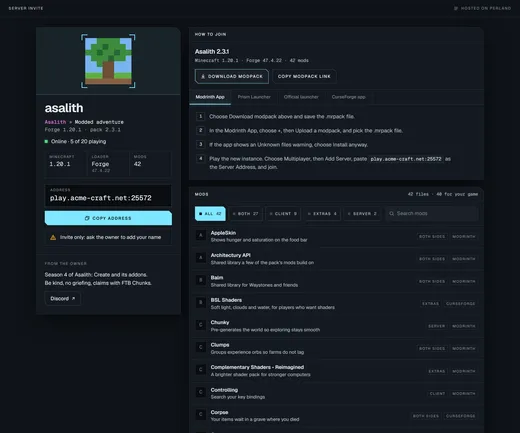
  • asalith Asalith » Modded adventure Forge 1.20.1 · pack 2.3.1
    7/20
  • hardcore Hardcore » One life Sleeping » join to wake it up
    0/20
Multiplayer list · illustration Demo data

Your server list entry, exactly as players see it.

Write the MOTD in the game's own colours and drop in an icon. Perland shows the entry the way the multiplayer list does, so what you save is what your players get.

Colours
All sixteen chat colours, bold, italic, underline and scrambled text
Icon
Upload any image and it is fitted to 64 × 64 for you
Address
One click copies the address to send to your players
New server · MOTD Demo data
The Connect panel of a server named skyblock: its server list entry with icon and coloured MOTD, and the address players use to join. The Connect panel of a server named skyblock: its server list entry with icon and coloured MOTD, and the address players use to join.
Server · Connect Demo data

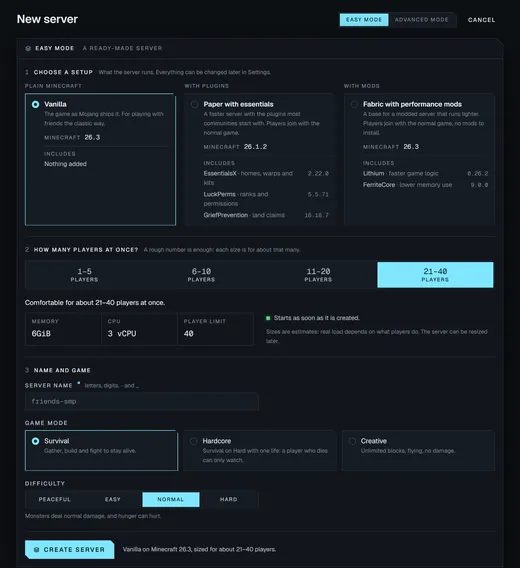
A new server without touching a terminal.

Pick the software and version, set the memory and choose who can join. Whitelist, operators, difficulty, game mode and world seed sit on the same form, and the rest stays out of your way until you need it.

Software
PaperSpigotBukkitForgeFabricVanilla
Proxies
VelocityBungeeCordWaterfall
Accounts
Premium or no-premium, with whitelist and operators
World
Your seed and level type, or a world you already have
Mods
Projects from Modrinth and CurseForge, or a whole modpack
Databases
MySQL and PostgreSQL beside the server
The New server form: server name, software type and version, memory and CPU, premium or no-premium accounts, max players, difficulty, game mode and the MOTD editor. The New server form: server name, software type and version, memory and CPU, premium or no-premium accounts, max players, difficulty, game mode and the MOTD editor.
Servers · New server Demo data

Your proxy and its servers, managed as one.

Most panels treat every server as a separate island and leave the wiring to you. Perland runs the proxy and the servers behind it as one network: one address for players, one restart for everything, or one server at a time.

Network · Wiring Demo data

A restart, sped up. The wiring lights as each server reports healthy.

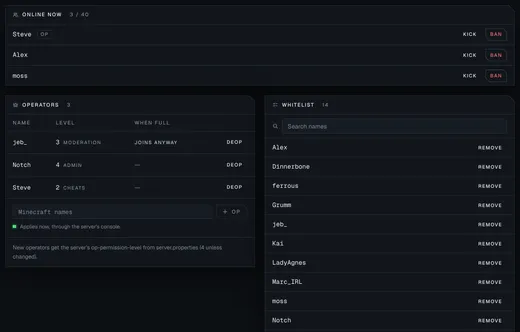
Console, players and bans. No SSH.

Watch the log live, send commands and ask Perland to check for problems. The Players tab shows who is online and keeps the ban list, with kick, ban and unban one click away.

Server · Console Demo data
The Players tab: three players online with Kick and Ban, and a ban list with reasons, who banned and when each ban expires. The Players tab: three players online with Kick and Ban, and a ban list with reasons, who banned and when each ban expires.
Server · Players Demo data

When a server won't start, Perland says why.

It reads the run for you and puts the most likely cause first, in plain words, with the fix beside it and the log lines that prove it. No more scrolling a stack trace to find the plugin that broke.

A diagnosis that reads: a plugin needs Java 21, this server runs Java 17. The fix offers a Change Java version button, with the log excerpt underneath. A diagnosis that reads: a plugin needs Java 21, this server runs Java 17. The fix offers a Change Java version button, with the log excerpt underneath.
Server · Diagnosis Demo data
A diagnosis that reads: the server ran out of memory. The fix suggests more memory or fewer plugins, with a Change memory button.
Network · Backend diagnosis Demo data

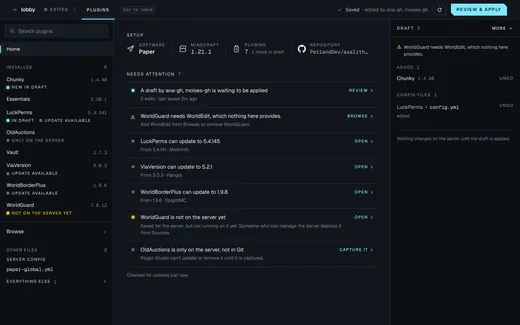
Modpacks and configs, straight from GitHub.

Point a server at a modpack repository and Perland sets the loader and version for you. Review new commits before they go live, deploy now or at the next restart, and roll back to any earlier version.

The Sources tab of a Forge server: a modpack and a config folder pinned to GitHub commits, three new commits waiting for review, and a deploy panel. The Sources tab of a Forge server: a modpack and a config folder pinned to GitHub commits, three new commits waiting for review, and a deploy panel.
Server · Sources Demo data

Empty servers sleep. A player joining wakes them.

A server nobody is playing on pauses, then sleeps, and its memory goes back to the servers that need it. In the server list it shows your own message, and the first player to join wakes it up.

Sleep messages for a server: the server list line reads Sleeping, join to wake it up, and the wake-up screen tells the player to join again in half a minute. Sleep messages for a server: the server list line reads Sleeping, join to wake it up, and the wake-up screen tells the player to join again in half a minute.
Settings · While sleeping Demo data
The Idle panel: the server is active, pauses after 15 minutes and sleeps after 3 hours if nobody joins.
Server · Idle Demo data

Your world is yours to take.

Browse a server's files and export the world, the whole server or just the folders you pick as a zip. Reset a world with a new seed and the old one is kept as a backup.

The Files tab listing a server's data folder: world, nether and end folders, plugins, server.properties, whitelist and ops. The Files tab listing a server's data folder: world, nether and end folders, plugins, server.properties, whitelist and ops.
Server · Files Demo data
The Export panel: choose the world, the whole server, a world backup or picked files, with recent exports ready to download. The Export panel: choose the world, the whole server, a world backup or picked files, with recent exports ready to download.
Server · Export Demo data

On your phone, between sessions.

The whole console works on a phone: check that a server is up, copy the address for a friend, restart it from the sofa. Light and dark themes and your accent colour follow your account to every device.

The server page on a phone: the skyblock server is ready, with its server list entry, address, uptime, CPU and memory.
Server page · phone Demo data
The Panel's overview in its light theme: a network with its wiring and the list of servers.
Overview · light theme Demo data

Turn capacity into a hosting business.

Give every customer their own team, put them on a plan and set limits for servers, CPU and memory. Perland enforces the limits, keeps each team's servers apart, and shows live usage next to what you sold.

Teams
Owners, members and read-only viewers.
Plans
Your own plans, with overrides for a single customer.
Sign-in
Customers sign in with their GitHub account.
Audit trail
Every change is recorded with who made it.
A customer's plan in the admin console: servers, vCPU and memory used against their limits, with overrides and idle rules. A customer's plan in the admin console: servers, vCPU and memory used against their limits, with overrides and idle rules.
Platform admin · A customer's plan Demo data

Plans and their prices are yours to set for your customers. Perland has no pricing yet.

Live usage for a customer: allocated servers, CPU and memory in use right now.
Platform admin · Live usage Demo data

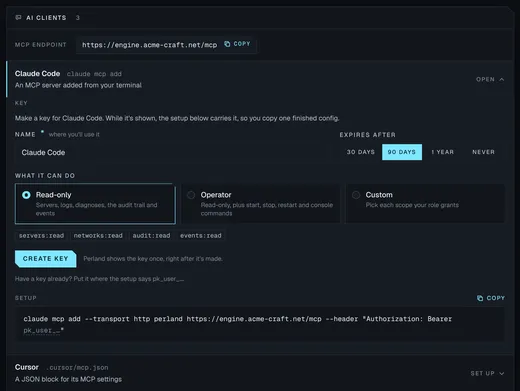
Everything in the Panel is in the API.

The Panel is built on the same API you get. Create keys with only the permissions an integration needs, then run servers, networks, players and backups from your own tools, bots and storefronts with a typed TypeScript SDK.

An interactive API reference ships with every install. Read the docs

API keys for a customer: one admin key and one key limited to reading servers and networks, each with a Revoke button. API keys for a customer: one admin key and one key limited to reading servers and networks, each with a Revoke button.
Platform admin · API keys Demo data
What you can automate
Servers
Create, configure, start, stop and resize
Networks
Proxies, backends and restarts
Players
Console commands, kicks and bans
Files
Exports, backups and world resets
Hosting
Teams, plans, limits and usage

Coming next: servers that run themselves.

Everything above works in the pre-release today. Next, AI will tune performance, catch problems before your players notice and help fix them.

Roadmap Perland Engine · Perland Panel

Vision 1

  • AI performance tuning and troubleshooting Vision

Planned 4

  • AI plugin and config recognition Planned
  • Server setups as shareable files Planned
  • Curated plugin catalog Planned
  • Webhook notifications Planned

Built 8

  • Proxy networks as one object Built
  • Live console, players and bans Built
  • Crash diagnosis in plain words Built
  • Modpacks and configs from GitHub, with rollback Built
  • Idle sleep and wake on join Built
  • World exports, backups and resets Built
  • Teams, plans and limits Built
  • Full API, permissions and SDK Built

Get early access to Perland.

Perland is in private pre-release. Join the waitlist and we'll let you know as soon as early access opens.

I'm a