Perland Engine · Panel

Plugins and mods without the jar juggling.

Search the catalogs your community already uses, add with dependencies, review every change before it goes live and keep every version in GitHub. AI explains each config setting as you go.
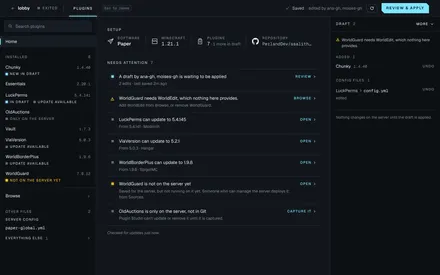
Plugins in a few clicks, and an AI that reads their configs.

Plugin Studio searches Modrinth, Hangar and SpigotMC, brings in what each plugin needs and keeps every edit in a draft your team shares. Open any plugin's config and ask what a setting does, or describe the change you want and review the AI's edit before it goes live. Nothing reaches the server until you apply.
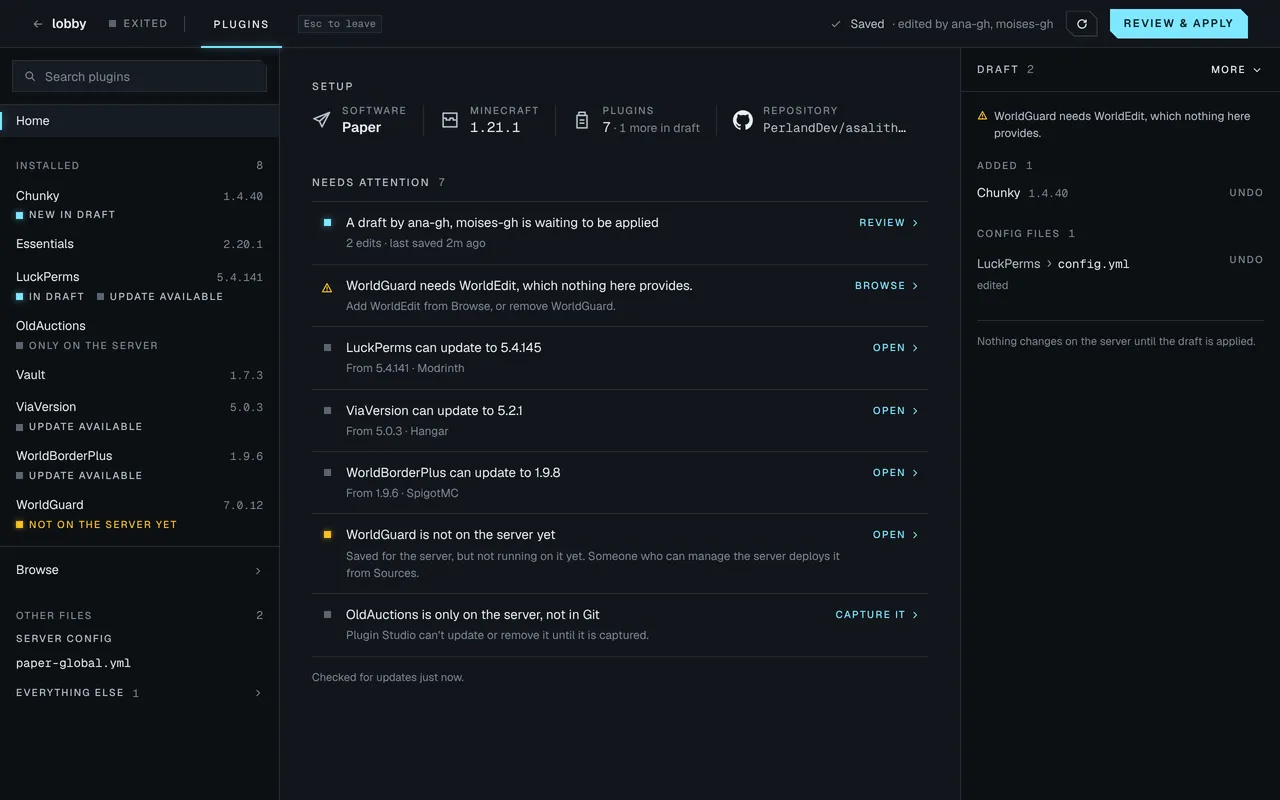
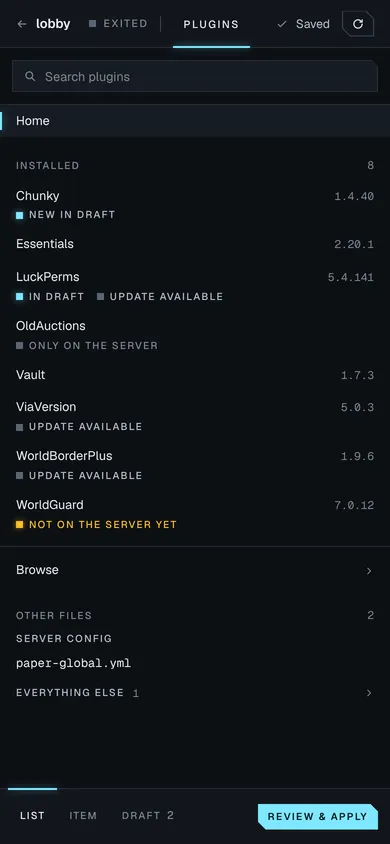
Plugin Studio on a Paper 1.21.1 server: the installed plugins with their versions and states, a list of what needs attention (a shared draft waiting to be applied, WorldGuard missing WorldEdit, three updates, a plugin only on the server), and the draft beside it with Chunky added and a LuckPerms config edited. Plugin Studio on a Paper 1.21.1 server: the installed plugins with their versions and states, a list of what needs attention (a shared draft waiting to be applied, WorldGuard missing WorldEdit, three updates, a plugin only on the server), and the draft beside it with Chunky added and a LuckPerms config edited.
Server · Plugin Studio Demo data
Catalogs
Modrinth, Hangar and SpigotMC, filtered to your server, or upload a jar
Draft
Every edit saves to a draft your team shares, applied now or at the next restart
AI help
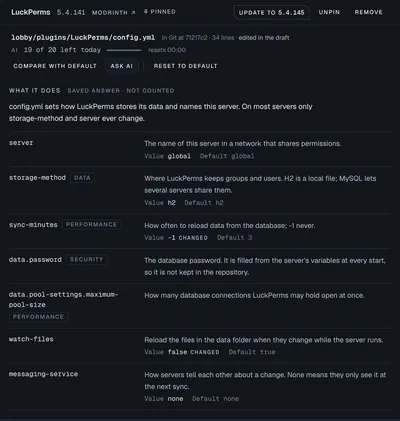
Explains each setting in plain words and proposes edits you review first
Bring yours
Copy the plugins and configs a server already runs into GitHub
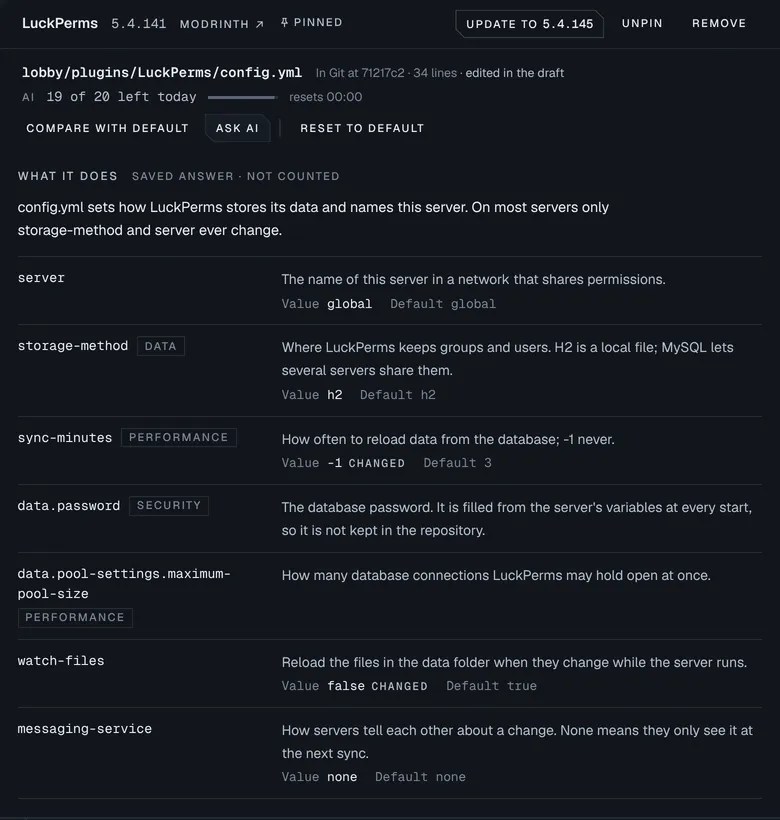
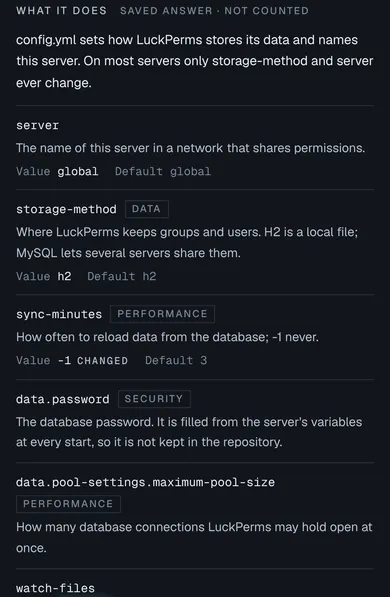
LuckPerms' config.yml explained: a summary of what the file does, then each setting with its meaning, its value and default, and tags for settings that touch data, performance or security. LuckPerms' config.yml explained: a summary of what the file does, then each setting with its meaning, its value and default, and tags for settings that touch data, performance or security.
Plugin Studio · Explain Demo data

Add mods in a few clicks, keep every version.

Mod Studio searches Modrinth and CurseForge for mods that fit your server, brings in what each one needs and applies the whole list at once, now or at the next restart. Any modded server can start a modpack, and every change lands in it on GitHub, so you can review it and roll back to any earlier version.
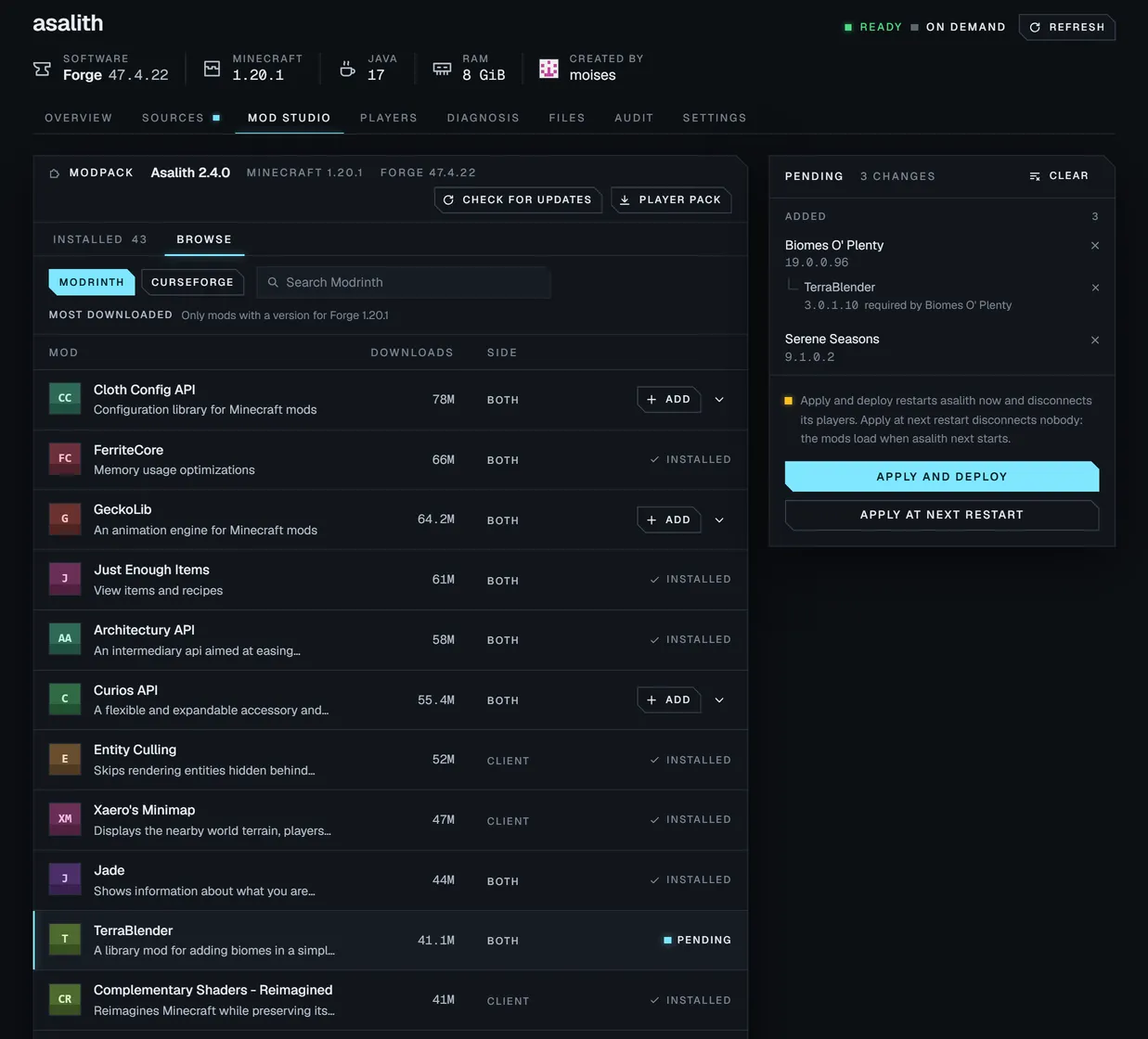
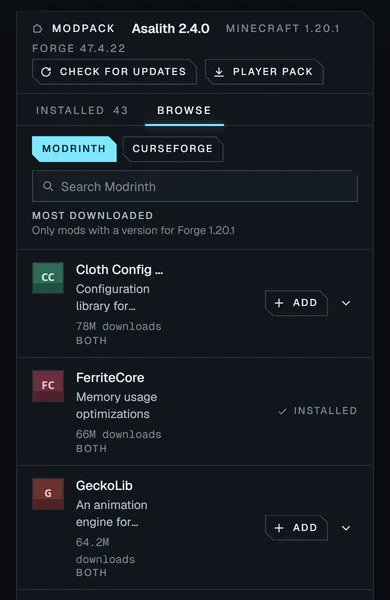
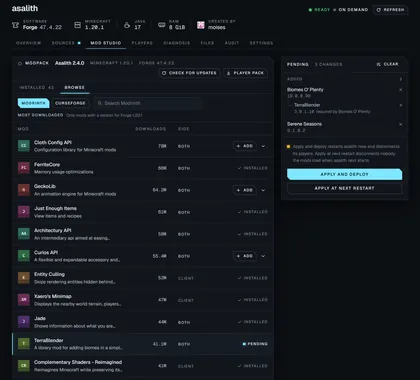
Mod Studio on a Forge 1.20.1 server: the most downloaded Modrinth mods for that version, with Biomes O' Plenty and Serene Seasons added and TerraBlender brought in because Biomes O' Plenty needs it, all waiting in the Pending list beside Apply and deploy. Mod Studio on a Forge 1.20.1 server: the most downloaded Modrinth mods for that version, with Biomes O' Plenty and Serene Seasons added and TerraBlender brought in because Biomes O' Plenty needs it, all waiting in the Pending list beside Apply and deploy.
Server · Mod Studio Demo data
Sources
Modrinth and CurseForge, sorted and filtered to your version and loader, or a jar you upload
Player pack
One download with every mod the server runs, for your players
Save checks
A config file that will not load is flagged when you save it
Secrets
Passwords and tokens stay in the server's settings, out of your files
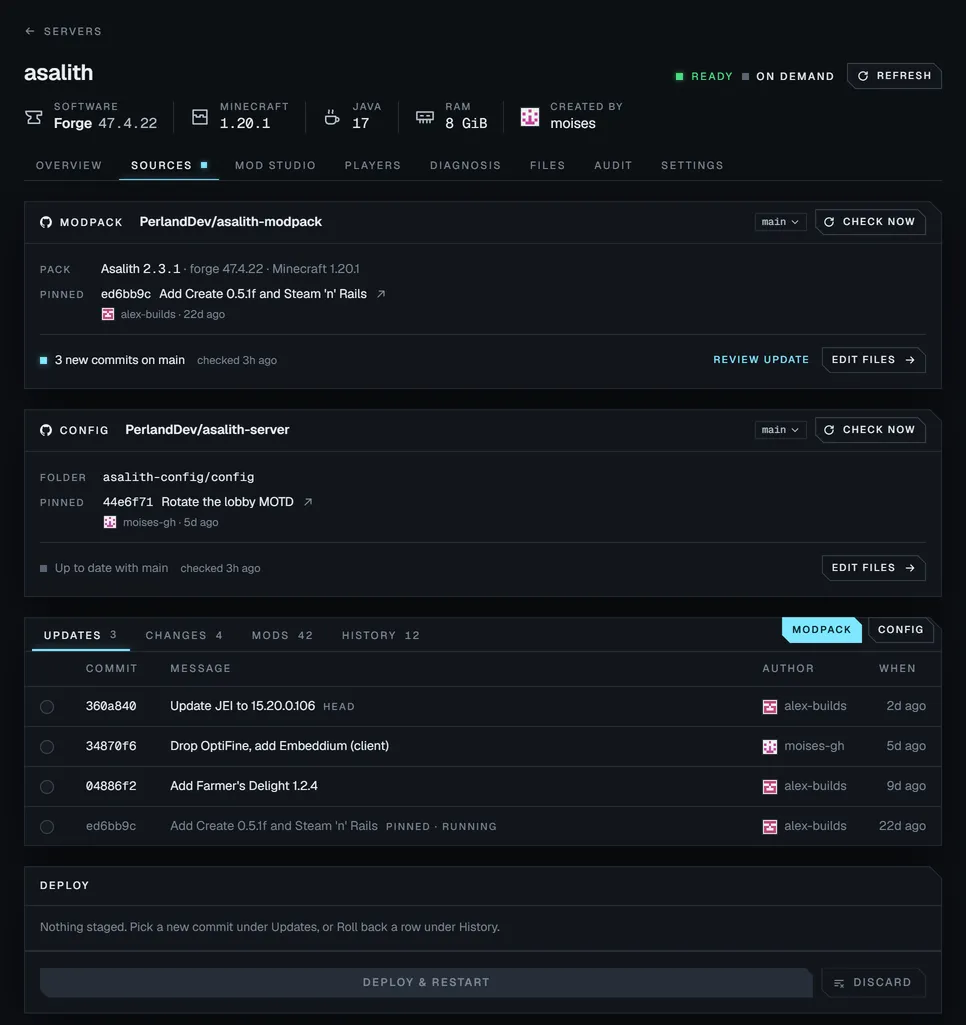
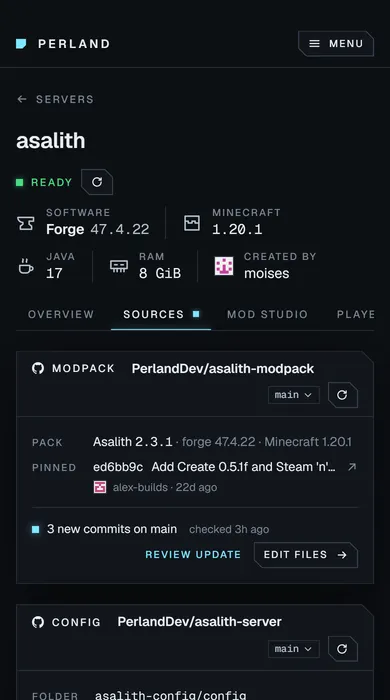
The Sources tab of a Forge server: a modpack and a config folder pinned to GitHub commits, three new commits waiting for review, and a deploy panel. The Sources tab of a Forge server: a modpack and a config folder pinned to GitHub commits, three new commits waiting for review, and a deploy panel.
Server · Sources Demo data

Get early access to Perland.

Perland is in private pre-release. Join the waitlist and we'll let you know as soon as early access opens.

I'm a